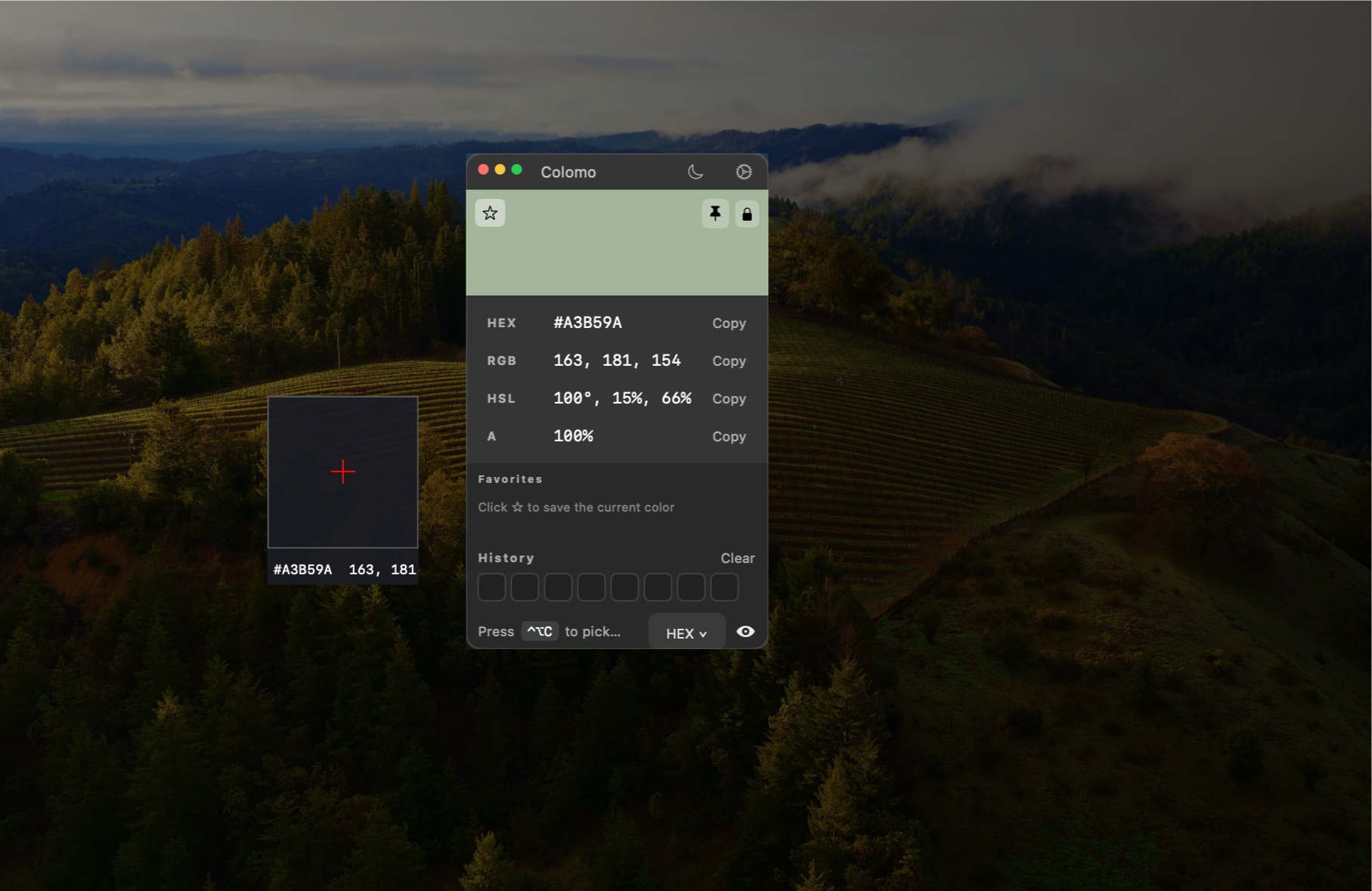
Colomo lives in your menu bar. Pick any pixel, copy it as HEX, RGB, HSL, CSS variables, Tailwind, SwiftUI, UIKit, AppKit, JSON, or your own custom format.
Download Colomo 1.1.0
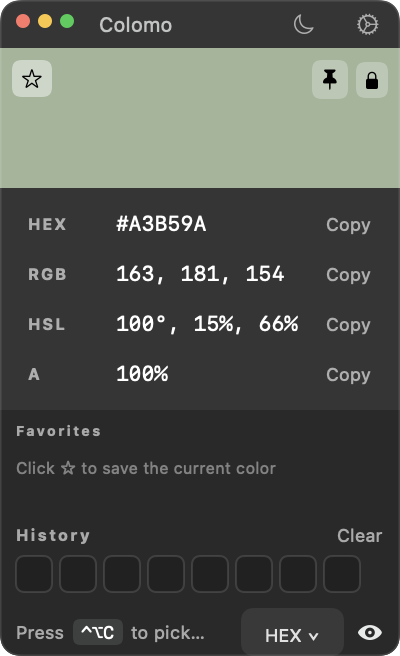
Move faster between design tools and code editors without memorizing color values.
Hover anywhere on screen and see the color update in real time. The loupe shows a 16×16 zoom for precise picking.
Copy colors as HEX, RGB(A), HSL, CSS variables, Tailwind config, SwiftUI, UIKit, AppKit, or JSON.
Define your own output with variables like {hex}, {rgb}, {hsl}, {r}, {g}, {b}, {a}, {alpha}, and {name}.
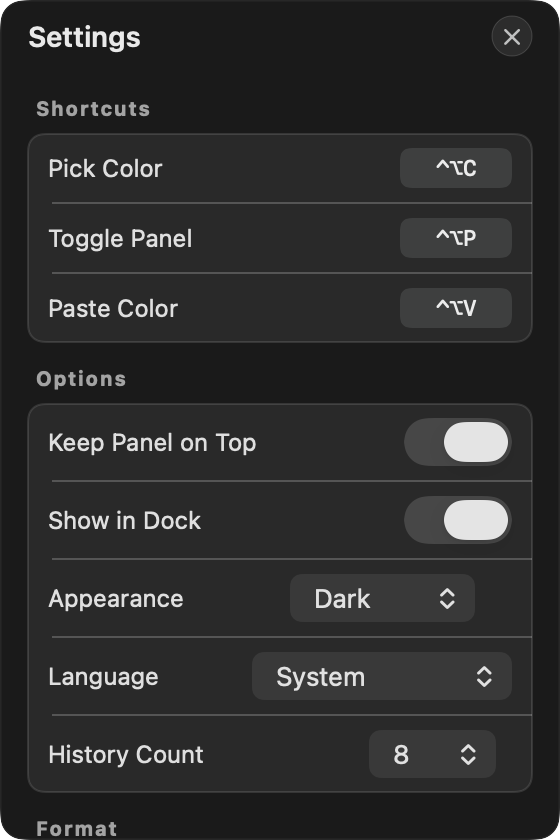
Your last colors are saved in order and de-duplicated. Choose how many to keep — 8, 16, or 24 — and the panel resizes to fit.
An onboarding walkthrough explains the menu-bar workflow and why Screen Recording permission is needed before the system prompt appears.
Start picking, toggle the panel, or paste a color from your clipboard — all without leaving the keyboard.
The panel remembers its position per screen, so your workflow stays consistent across displays.
Star your most-used colors so they stay at the top of the panel.
Sparkle keeps the app up to date in the background so you always have the latest picker and formats.
Every shortcut is customizable in Settings.
Get Colomo 1.1.0 for macOS. Drag to Applications and start picking.
macOS 14.0 or later · Apple Silicon or Intel · Notarized
Colomo needs Screen Recording permission only to read the single pixel under your cursor. All color picking happens locally on your Mac. The App does not upload screen content, color data, or app usage analytics. Website analytics only run with your consent.